Generative Fill
The vase needs flowers, the shelf needs a plant, the sky needs to be blue. Paint over the spot, say what goes there, and it appears as if it was always in the shot.
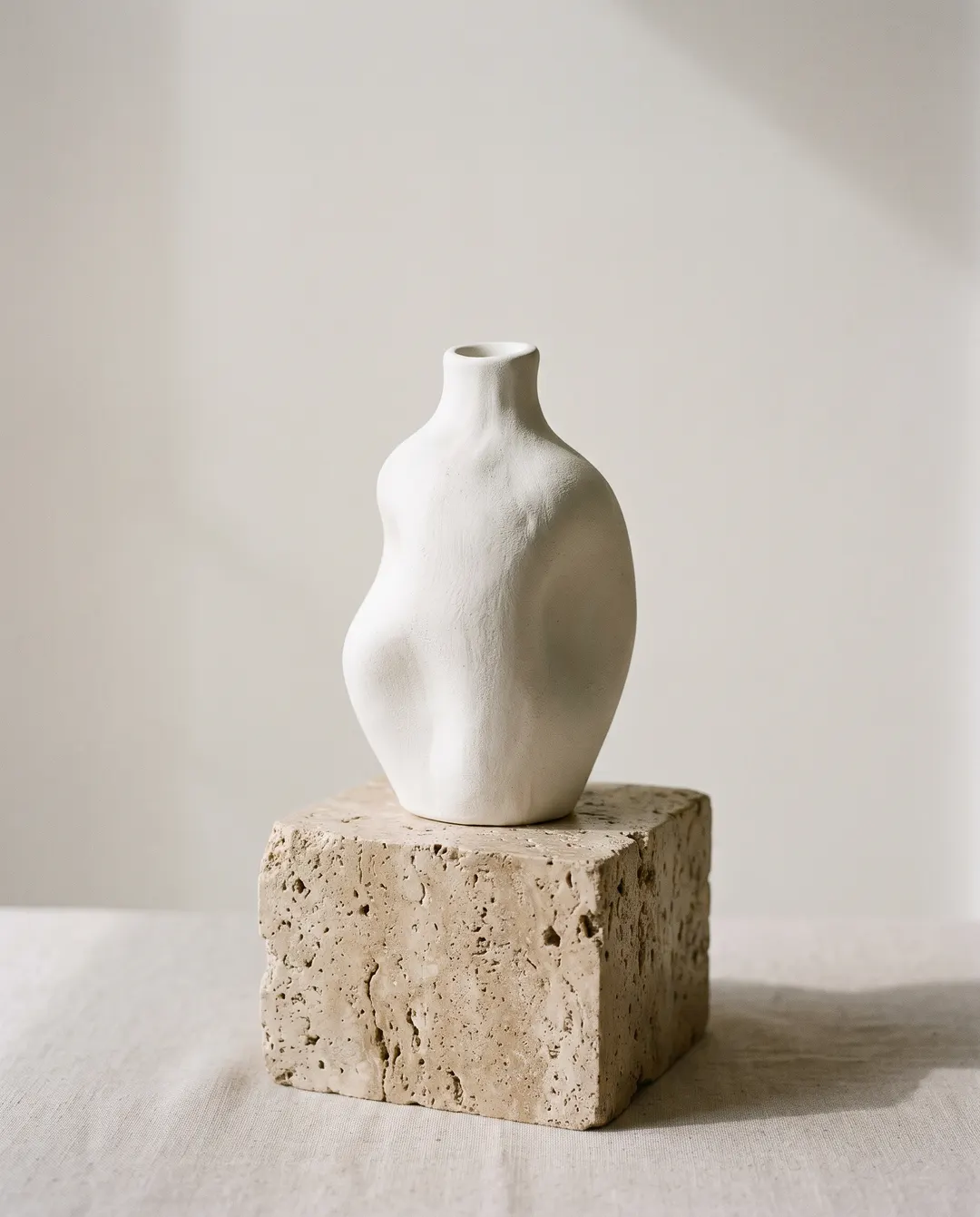
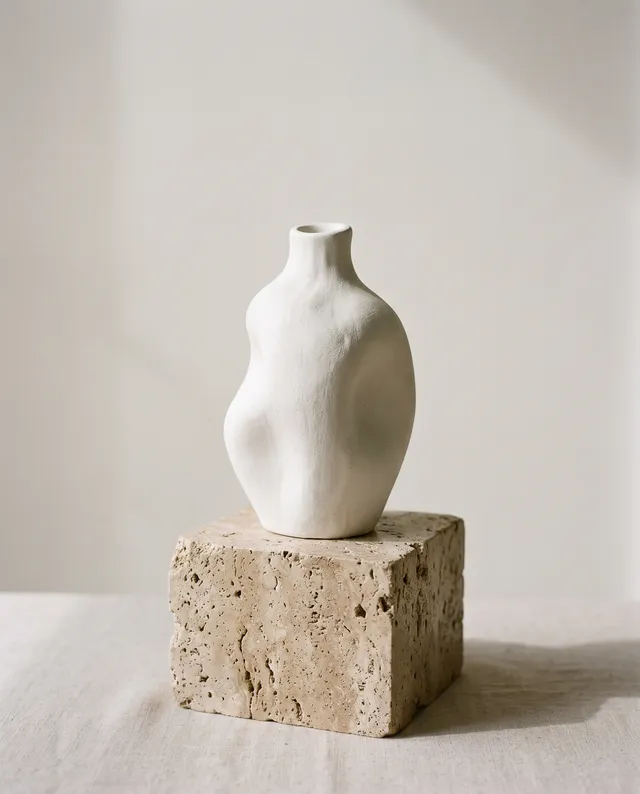
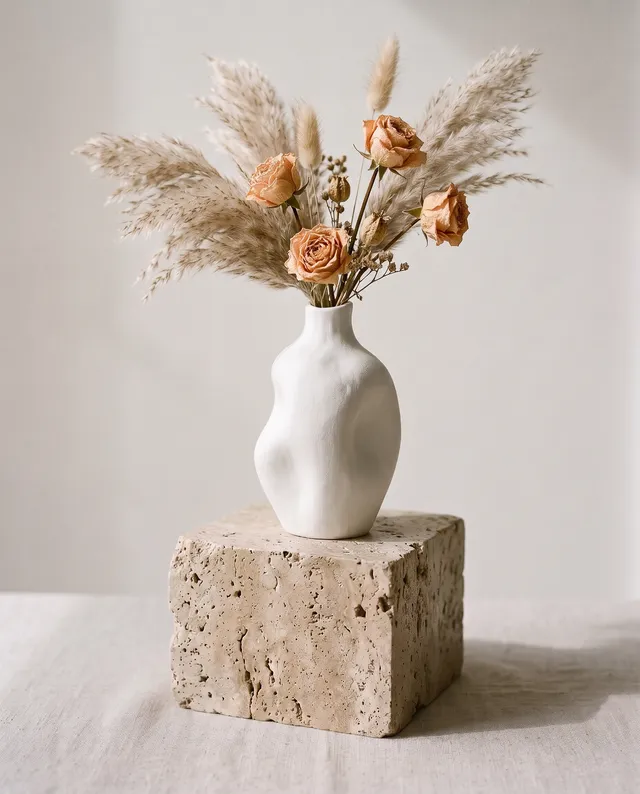
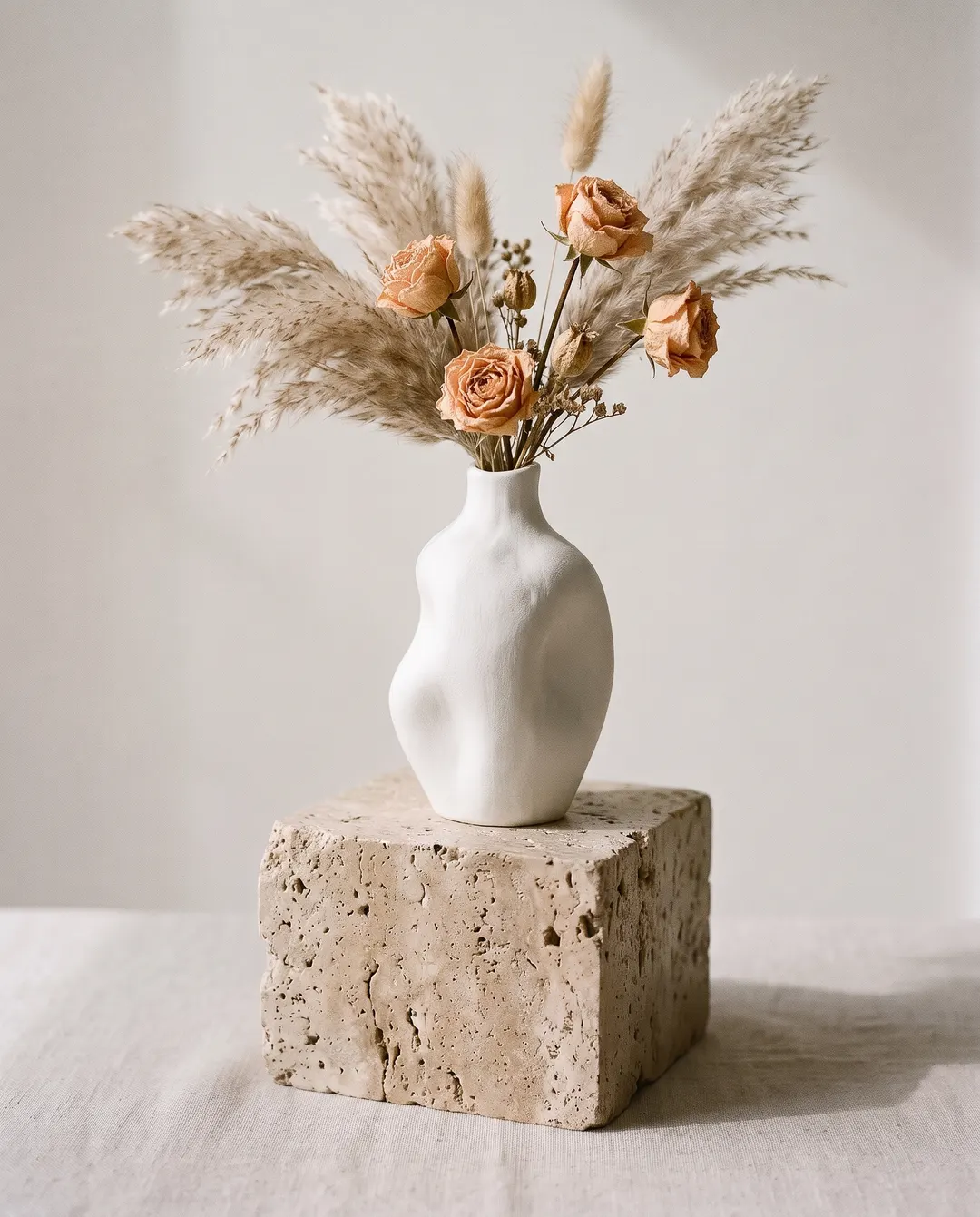 BeforeAfterPaint above the vase: dried pampas grass and peach rosesBeforeAfterPaint above the vase: dried pampas grass and peach roses
Add what the photo is missing with AI generative fill.
The vase looked bare on its own. Paint over the space above it, write “dried pampas grass and peach roses”, and the stems rise out of the neck with the same soft daylight and shadow as the rest of the shot. No reshoot, no props to buy. Because it’s generative fill online, there’s nothing to install and no editing app to learn.
- Only the painted area changes
- Perspective, light and shadow matched
- Not quite right? Change the words and run again
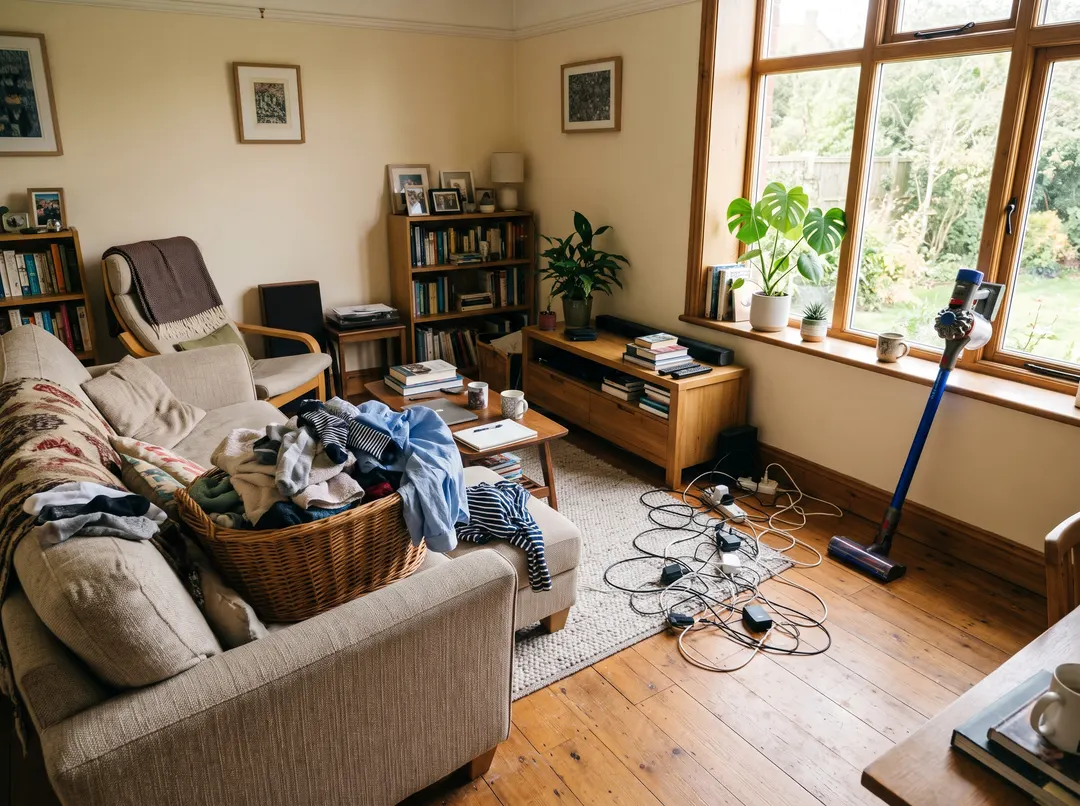
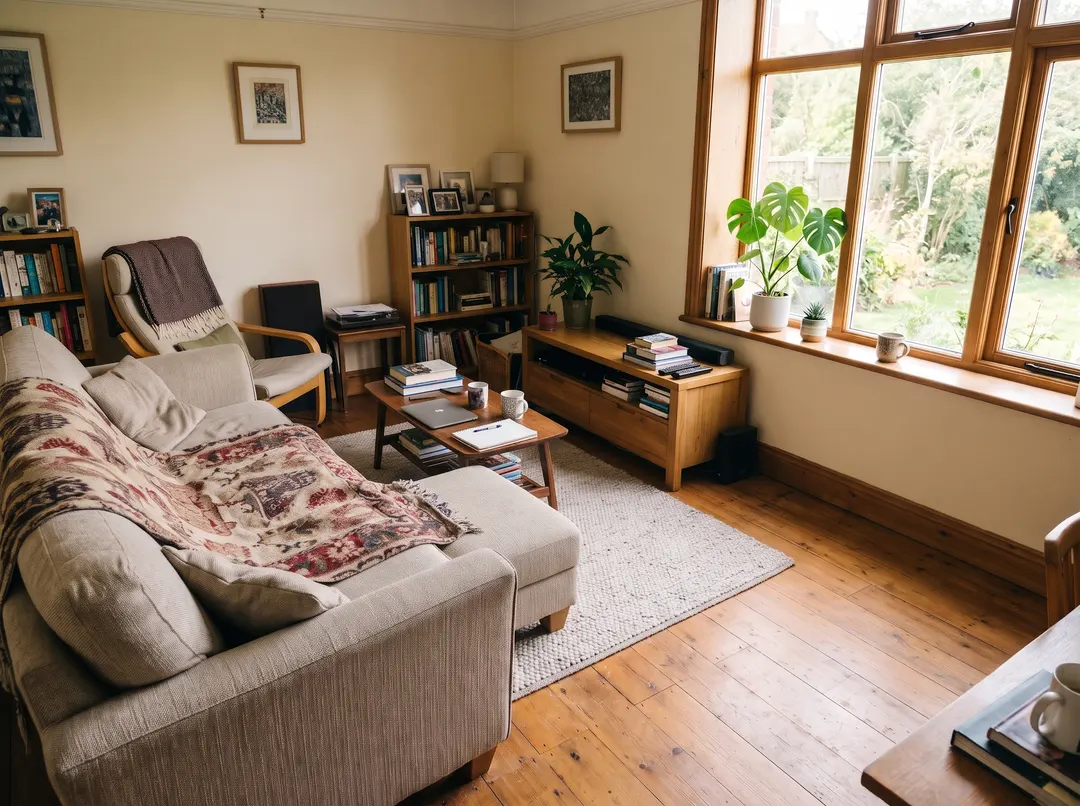 BeforeAfterPaint over the basket, the cables and the vacuum
Something to take away instead?
When the bin, the cables or the stranger should simply go, Object remover is the quicker job: paint over them and the floor, wall or sand behind is filled back in, with nothing new added. Use generative fill when you want something new in the space, and Object remover when you want it empty.
- Paint over it, it’s gone
- Background continued naturally
- Several things in one go
Add it with generative fill in three steps.
No layers, no selections. Show where, say what, and the rest is done for you. Swapping works too: paint over the red jacket and ask for a navy one.
Upload a photo
From your phone or computer. Products, rooms, portraits or places. Anything with a spot that needs one more thing.
- “Dried pampas grass and peach roses”
Paint the spot and say what goes there
Cover the area with a little margin, then describe it in a few words, or tap a suggestion. Mention colour, material and size for a closer match.
Download
Save it with no watermark, or paint another spot and keep going. Each run is a fresh attempt, so changing a word or two can give a better result.
For the shot that’s nearly there.
Everything is right except one empty corner. Fill it. Free daily credits let you try generative fill free on a few photos every day.
Product photos
Flowers in the vase, a book beside the mug, a prop that tells the story.
Room and listing photos
A plant on the bare shelf, a lamp in the dark corner, art on the empty wall.
Outfits
Swap the jacket, add a scarf or a hat, and see the look before you buy. Paint over the jacket and describe the new one.
Travel and landscapes
A blue sky over a grey one, a boat on the empty lake, birds in the frame. The rest of the scene stays as you shot it.
Shop and menu shots
A steaming cup on the counter, fresh bread in the basket, a sign on the door.
Slides and mock-ups
Put your product on the table, the screen or the shelf in a stock photo.
Questions about generative fill
Something else? Email support@pixenhancer.ai
Explore more ways to fix a photo
Objects & People
Restore & Enhance
One empty spot. Fill it.
Paint where it goes, say what it is.


