Remove Glare from Photo
A white flare across your glasses, a window mirrored in the picture frame, a shiny forehead from the flash. Add the photo and the glare is gone, with the eyes or the print behind it back in view.

 BeforeAfterGlare gone, her eyes clear againBeforeAfterGlare gone, her eyes clear again
Remove glare from glasses, and see the eyes again.
The café window bounced straight off her glasses and turned both lenses into white patches. Clear the glare and her eyes are back, looking at the camera, with the frames, the smile and the room behind her just as they were. What sat behind the glare is filled in from the rest of the photo, so check small details like eye colour, and run it again if a patch looks off.
- Lens glare and reflections cleared
- Eyes and expression kept
- Frames, face and background untouched
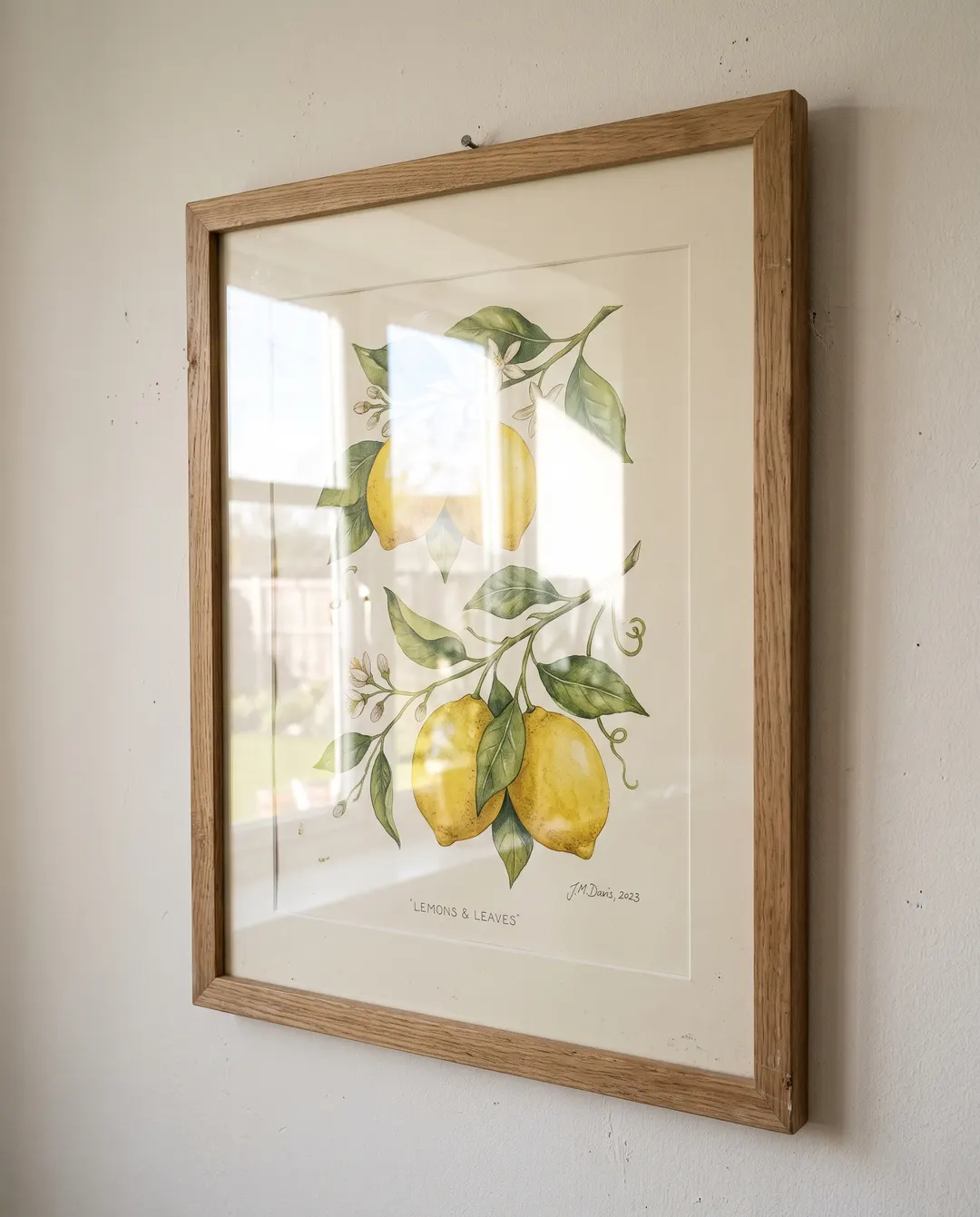
 BeforeAfterWindow reflection gone, the print shows through
Art behind glass, without the window in it.
Photograph a framed print and you get the room too: the window, the lamp, your own phone. Remove the reflection and the lemons, the leaves and the hand-lettered label come through clean, ready to list, share or keep as a record. When you only need to remove a reflection from a photo of art, tap Picture frame so just the glass is cleared.
- Reflections lifted off the glass
- Colours and fine lines kept
- Frame and wall stay as they are
Remove glare from a photo in three steps. No polarising filter.
No reshoot at a different angle, no patching highlights by hand. Pick where the glare is, or press Remove glare.

Add your photo
From your phone or computer, or paste it straight in.
Pick where the glare is
Auto clears every glare. Or tap Glasses, Picture frame or Window to clear just that one. Flash too bright on a face? Shiny skin tones the hotspots down without smoothing the skin.

Download, or keep going
Save it, or take it on to a sharper, bigger or brighter version. Compare faces, labels and writing with the original before you use it.
For the shot the light got in the way of.
Glass, lenses and flash catch the light. Get the picture you meant to take, with a glare remover that works on the photo you already have.
Portraits in glasses
Profile pictures, headshots and family photos where the lenses went white.
ID and document photos
A clear look at the eyes, without the flash bouncing off your glasses.
Framed art and certificates
Prints, diplomas and family photos behind glass, without the room mirrored in them.
Shiny products
Bottles, jars, watches and phones with a hotspot where the logo should be. Clear it and the label reads again.
Rooms and windows
Listing photos where the window glass mirrors the room instead of the view.
Screens and displays
A photo of a TV, a monitor or a shop display with a lamp shining off it.
Questions about removing glare
Something else? Email support@pixenhancer.ai
Explore more ways to fix a photo
Objects & People
Restore & Enhance
The light got in. Take it back out.
Clear the glare off the photo you almost loved.


