Blur Photo Background
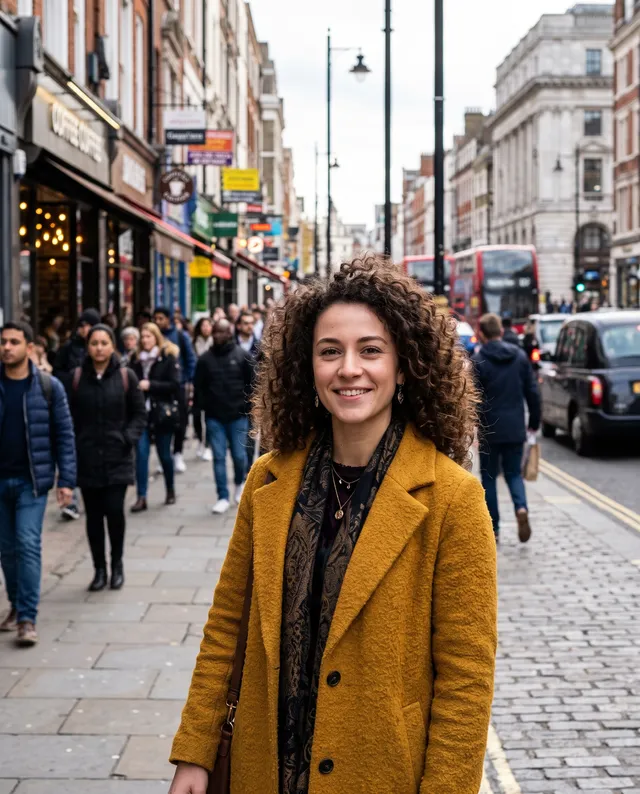
Great smile, busy street behind it. Add the photo and the background melts into soft, creamy blur, so the person you photographed is the first thing anyone sees.
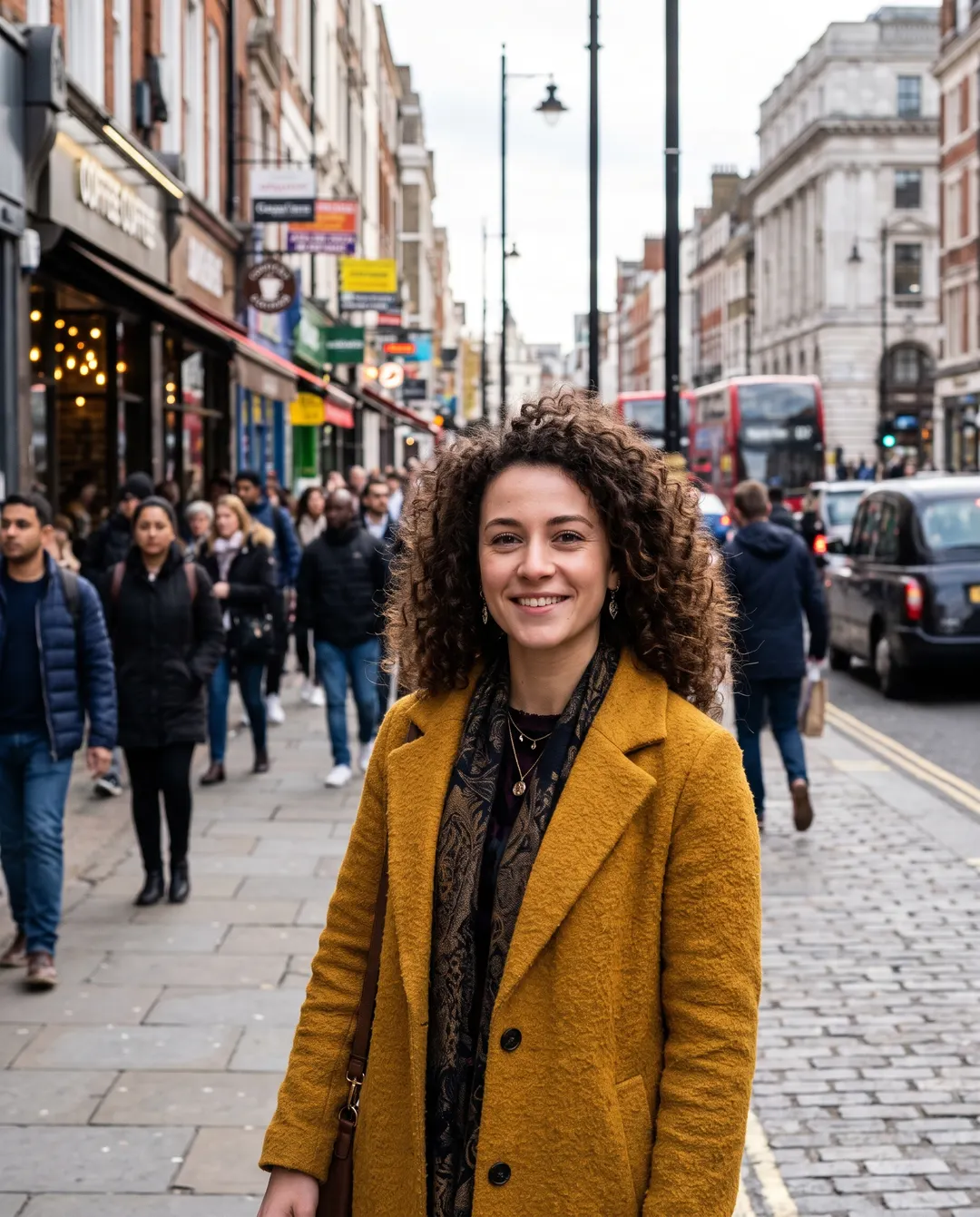
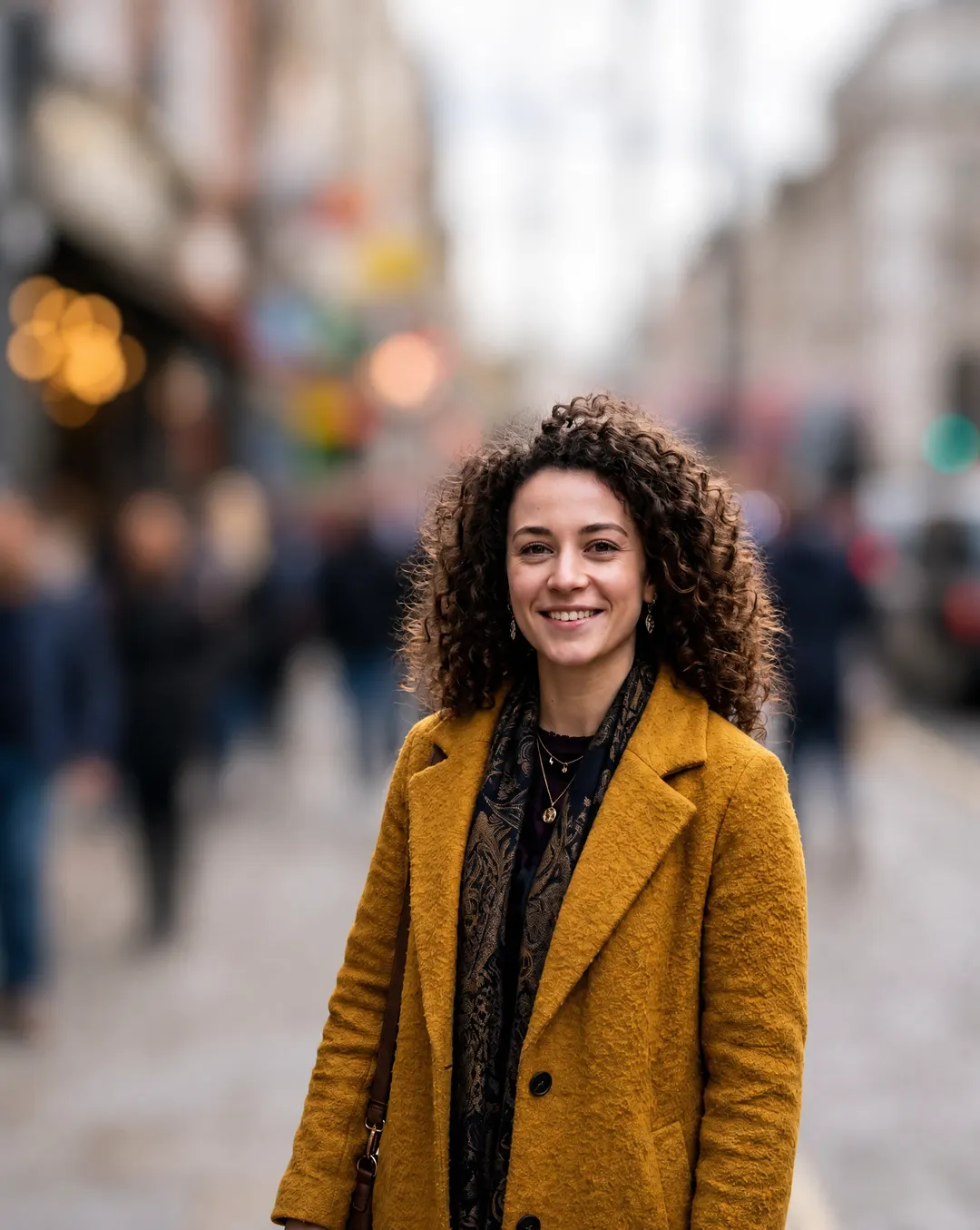 BeforeAfterBusy street blurred, she stays sharpBeforeAfterBusy street blurred, she stays sharp
Blur the photo background, all eyes on them.
Phone cameras keep everything in focus, so the shop signs, the passing cars and the stranger behind you all compete with the person you were photographing. Blur the background and they fall away into soft colour, the way a fast lens would have shot it. It’s AI blur background without the fiddly part: there’s no outline to draw around hair or shoulders.
- Busy backgrounds turned to soft blur
- Hair and shoulders keep clean edges
- The person stays exactly as shot
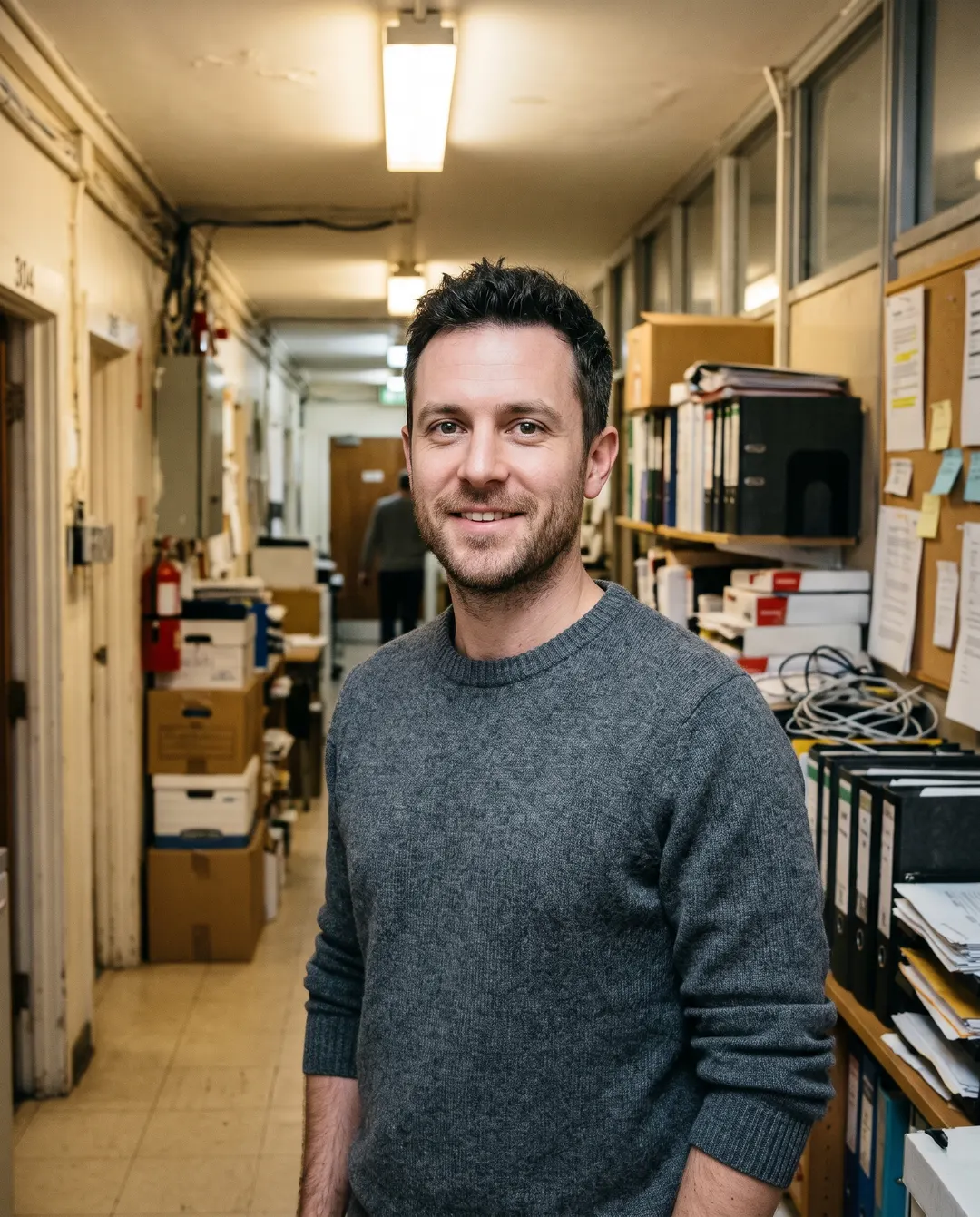
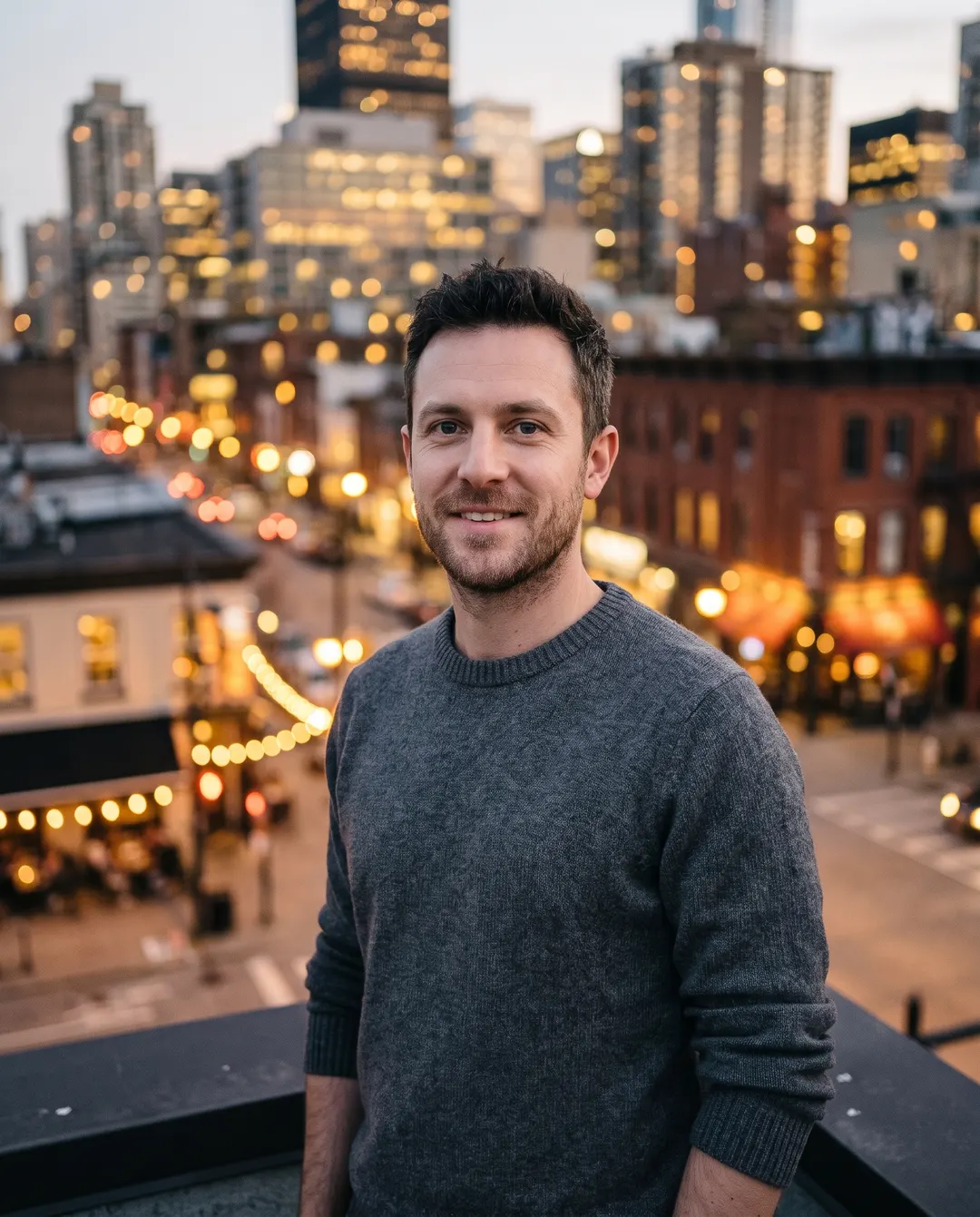 BeforeAfterNow on a blurred city rooftop at dusk
Background beyond saving? Swap it.
Sometimes blur is not enough: a cluttered office, a messy room, fluorescent light. Background changer replaces the scene with one you describe, and it can be soft-focused too, like a city rooftop at dusk behind a headshot. Keep the person, lose the room, and choose whether the new place is sharp or soft.
- A new scene from one sentence
- Light matched to the new place
- Ask for it blurred, or sharp
Blur the background in three steps. No masking.
No brush to paint around hair, no depth map to fix. Pick how much blur, or press Blur background. Background blur used to mean a fast lens; now it’s a photo you already have.
Add your photo
From your phone or computer, or paste it straight in. Photos from any phone work, including HEIC straight off an iPhone.
Pick how much blur
Auto gives a portrait-mode blur. Or tap Strong blur, Subtle blur or Light bokeh. Want only some people sharp? Say who should stay in focus.

Download, or keep going
Save it with no watermark, or take it on to a sharper face or a bigger size. Every result stays in your history, ready to download again.
For photos where one person matters.
Blur says “look here” without cutting anything out. Each idea below writes the right instructions into the tool for you.
Profile photos
A clean, professional look for LinkedIn or a CV, taken anywhere. A blur background photo reads as studio-made, even if it was taken in a kitchen.
Portraits
Street and travel portraits where the crowd behind steals the show. The crowd becomes colour and light instead of faces.
Couples and weddings
Keep the two of you sharp and let the guests and venue go soft. The day stays about you two.
Pets
The dog in the park, without the park stealing attention. Fur edges stay crisp, so whiskers and ears don’t smudge into the grass.
Products
A product shot on a table, with the room behind turned to soft colour. The label stays readable while the clutter behind it softens.
Food
The plate in focus, the restaurant around it a warm blur. The plate looks like the hero of the menu.
Questions about blurring backgrounds
还有其他问题?发邮件到 support@pixenhancer.ai
Busy background, clear subject.
Try it on the portrait you like most.

