Nano Banana 2
Say the one thing you want changed. The face, the product and the light stay as they were, so an edit looks like a better photo, not a new one.
In plain words.
Every model has a shape. Here is where this one shines, and when another one on PixEnhancer will serve you better.
Good at
- 快而全能,改图和保持同一张脸最拿手。
- Working from up to 5 of your photos
- Sizes 1K, 2K and 4K, in 7 shapes
- From 2 credits a picture, priced before you run
Pick something else for
- 细节最丰富,图里的文字也最准。Nano Banana Pro
- 色彩大胆,适合海报和清晰的大图。Seedream 5
- 长而细的要求,也能一条条照做。GPT Image 2
- 光线、皮肤和质感都像真照片。Flux 2 Pro
- 排版、文字和图表干净利落。Qwen Image 3 Pro
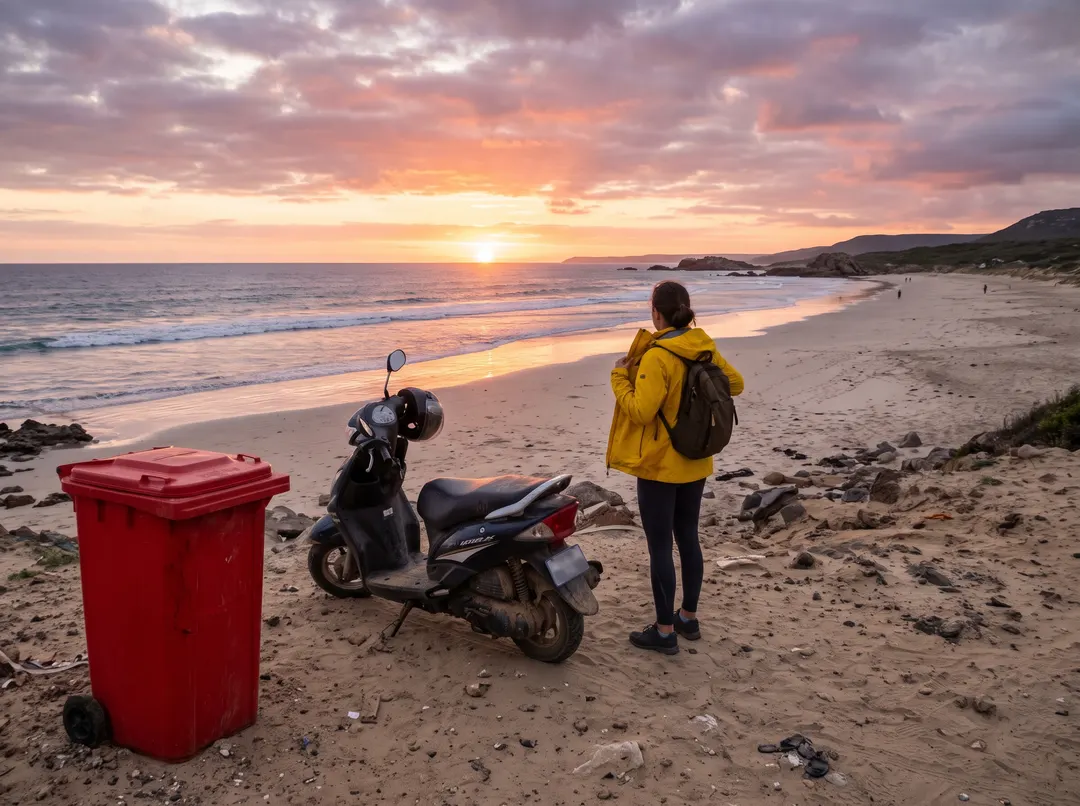
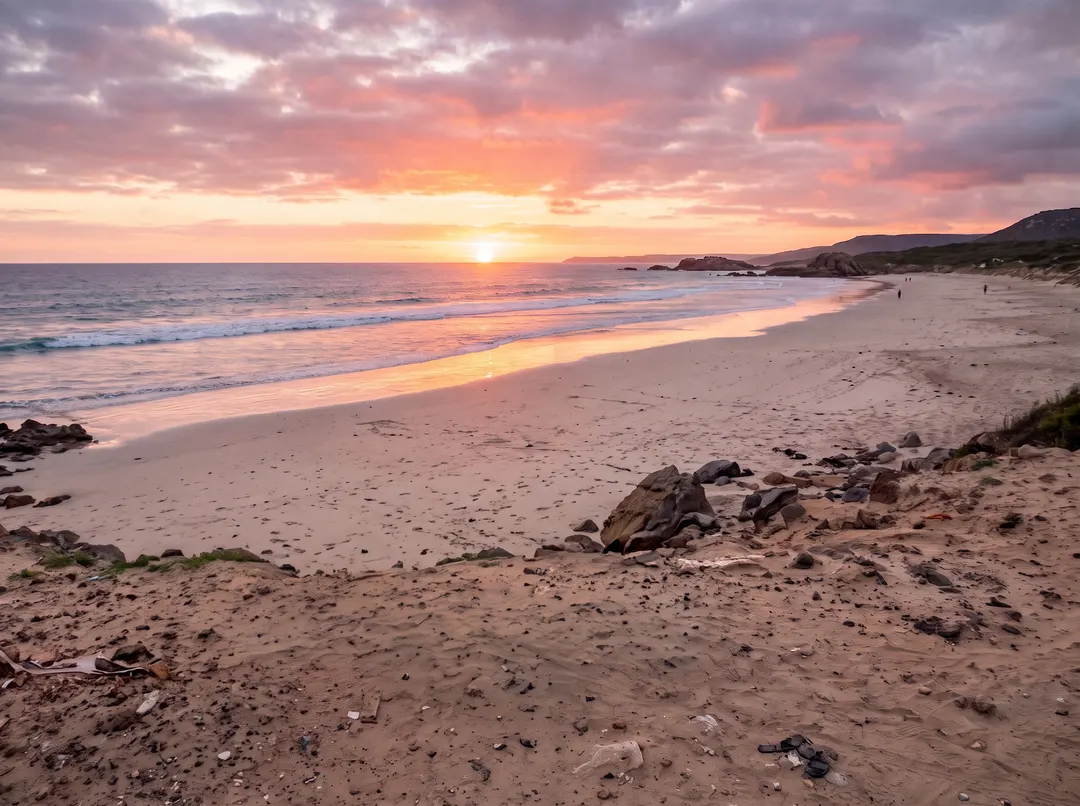 BeforeAfterRemove the plastic bin, the scooter and the tourist
Take out what spoils it, keep everything else.
A bin in the foreground, a parked scooter, a stranger walking through. Name what should go and Nano Banana 2 fills the gap with sand and stones that match the rest of the beach. The light, the horizon and the colours stay as they were, so the photo looks untouched, not repainted. No brush and no mask: the sentence is the selection.
Prefer a brush? Object Remover- Name several things in one sentence
- The rest of the photo stays the same
- Works on people, signs, cables and clutter
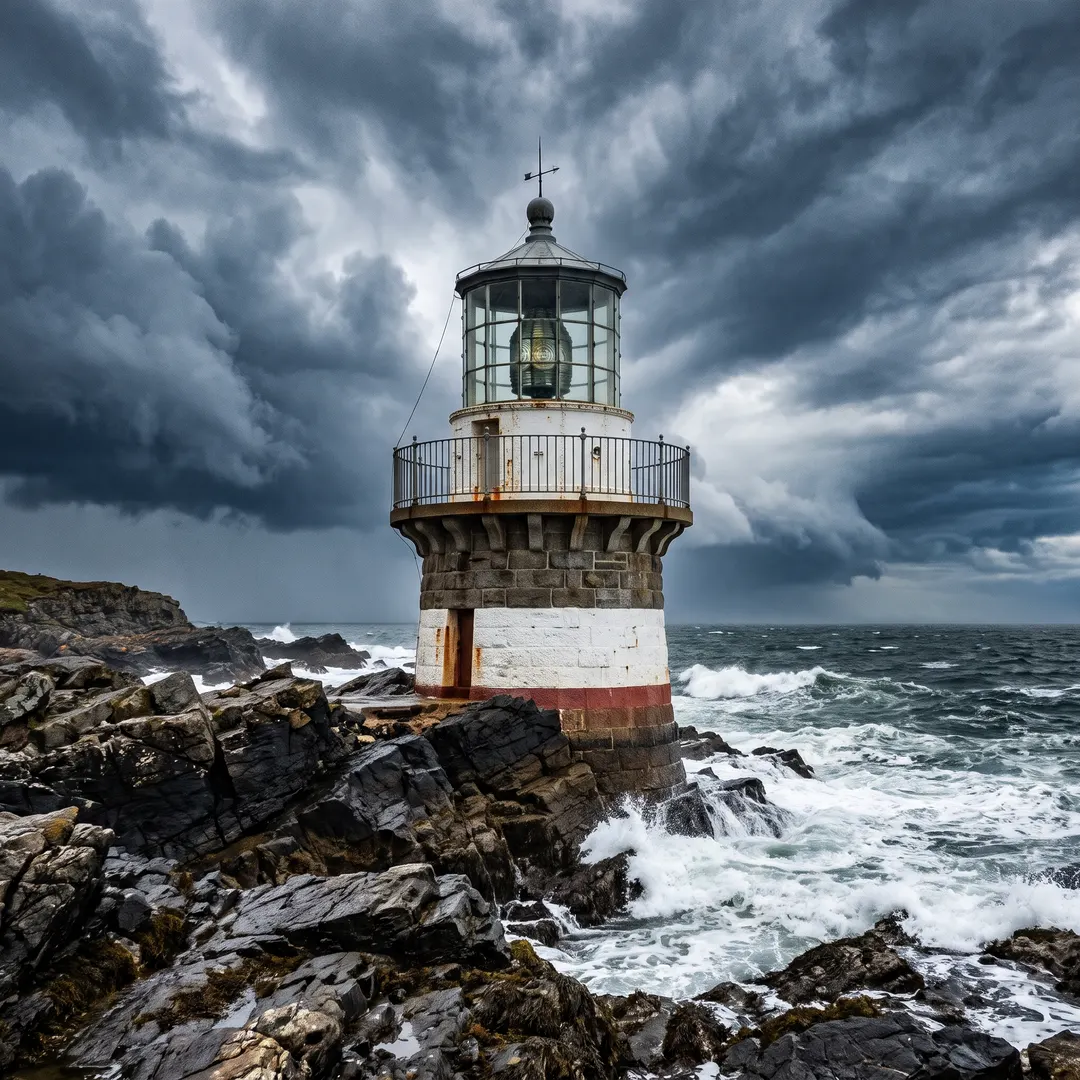
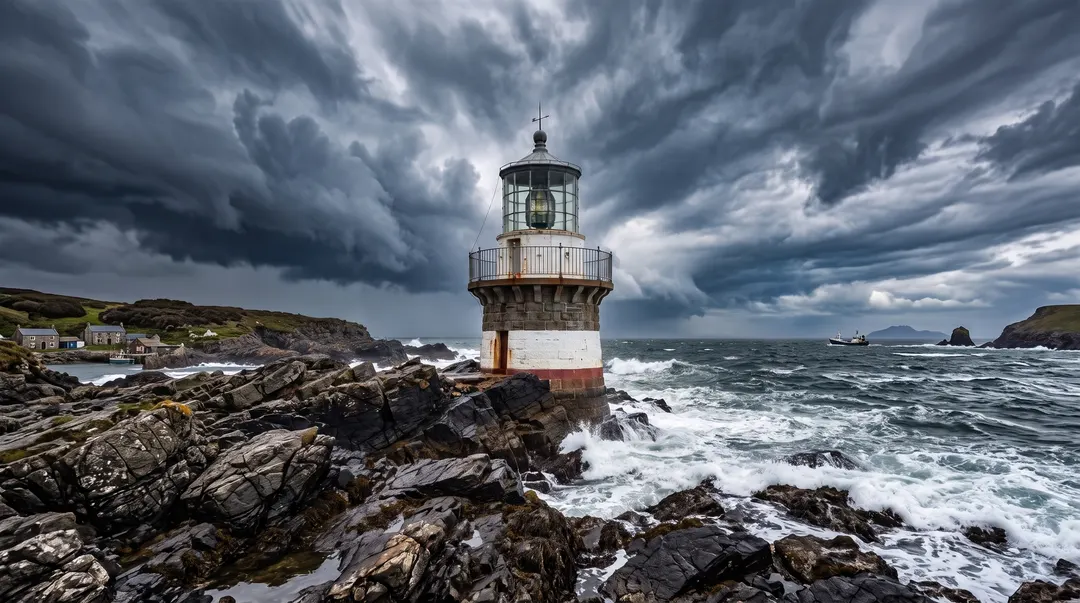 BeforeAfterExtend this scene outward to a wide landscape frame
Shot it square? Make it wide.
A square crop will not fit a banner, a slide or a 16:9 video cover. Pick the wider shape in the box and ask for the scene to carry on: this lighthouse got more coastline, sea and sky on both sides, and the tower itself was left alone. It works the other way too, from wide to tall for Stories and phone screens.
Open the Image Extender- Pick the shape, then say what to add
- The original part is kept as it was
- Square to wide, or wide to tall
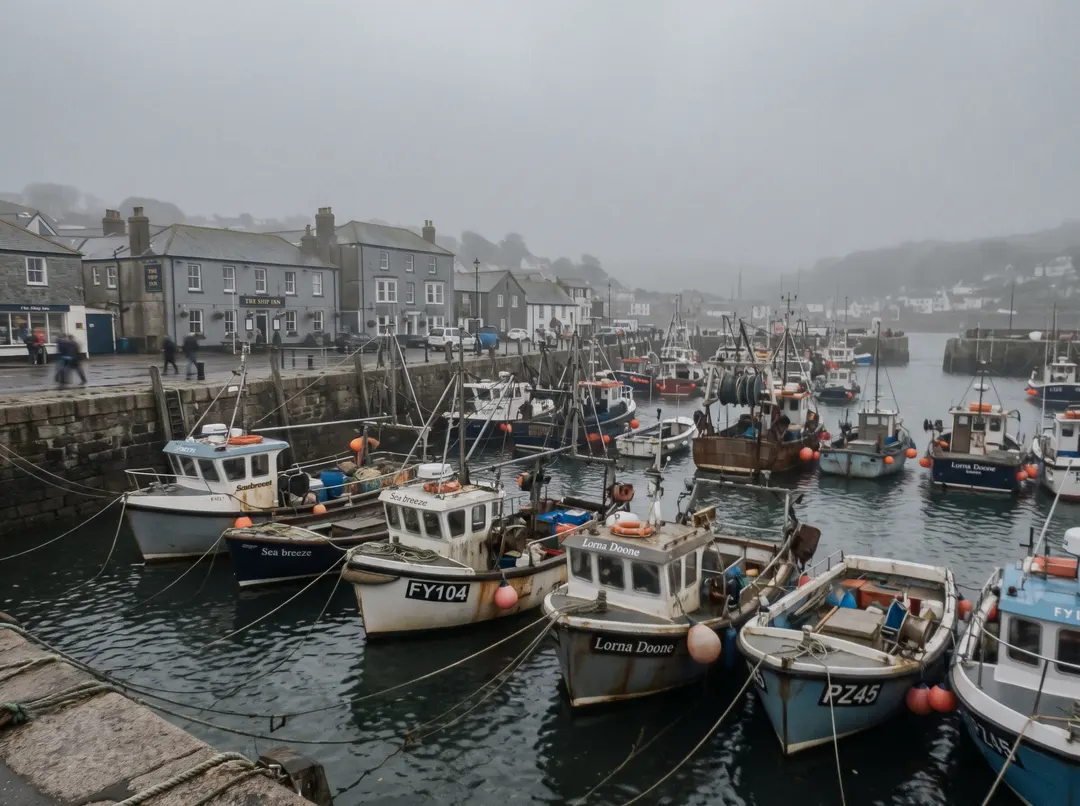
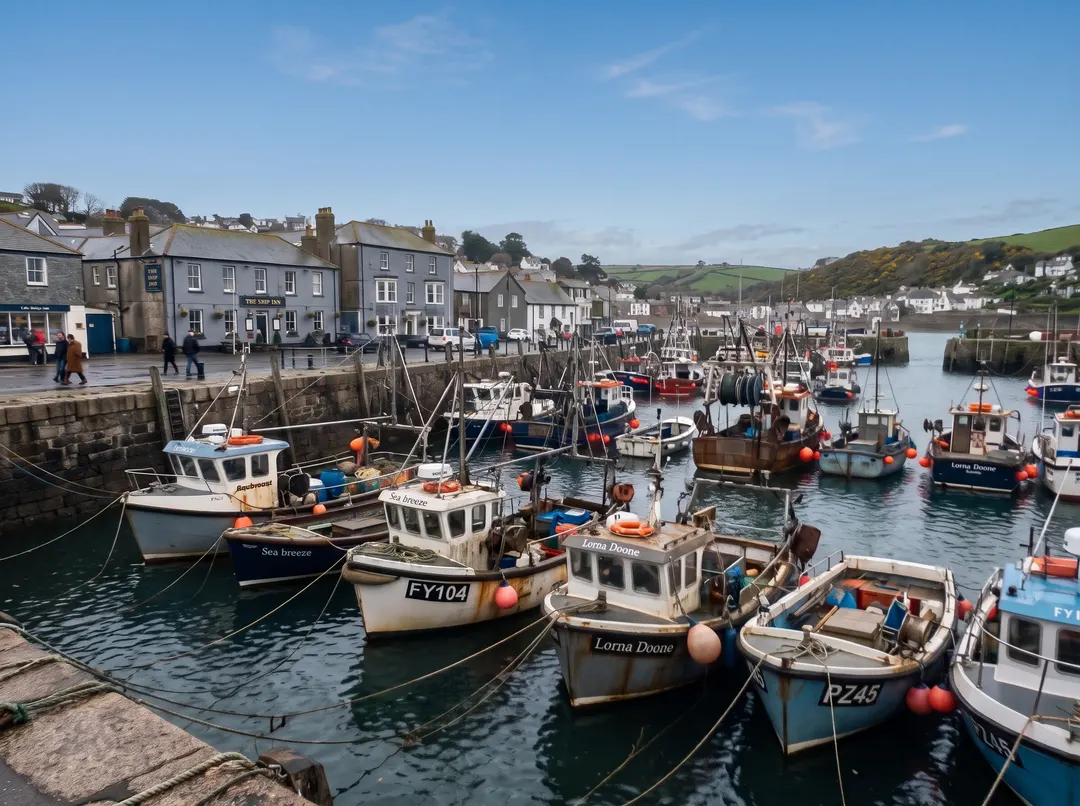 BeforeAfterRemove the haze, add natural contrast
A flat holiday snap, brought back to life.
Overcast days and phone lenses leave photos grey and soft. Ask for the haze to go and the colour to come back, and the harbour gets its blue sky, bright boats and crisp rigging back. It is still the same boats in the same places; Nano Banana 2 fixes how the photo looks, not what is in it.
Open the Photo Enhancer- Haze, grain, dull colour and soft focus
- Nothing added that was not in the photo
- Save at 1K, 2K or 4K
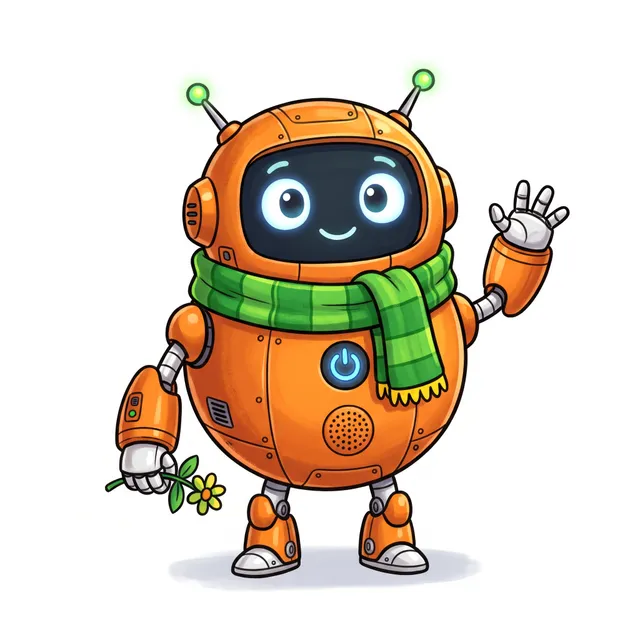
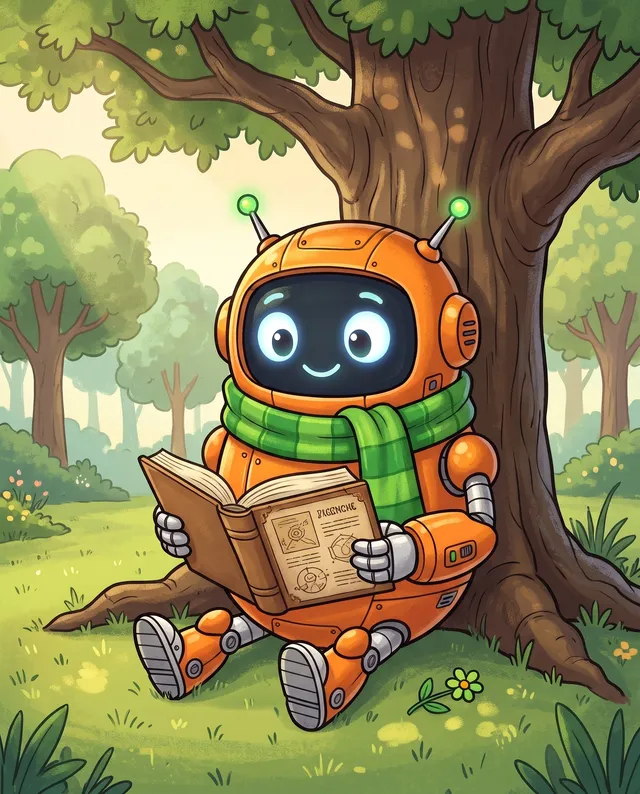
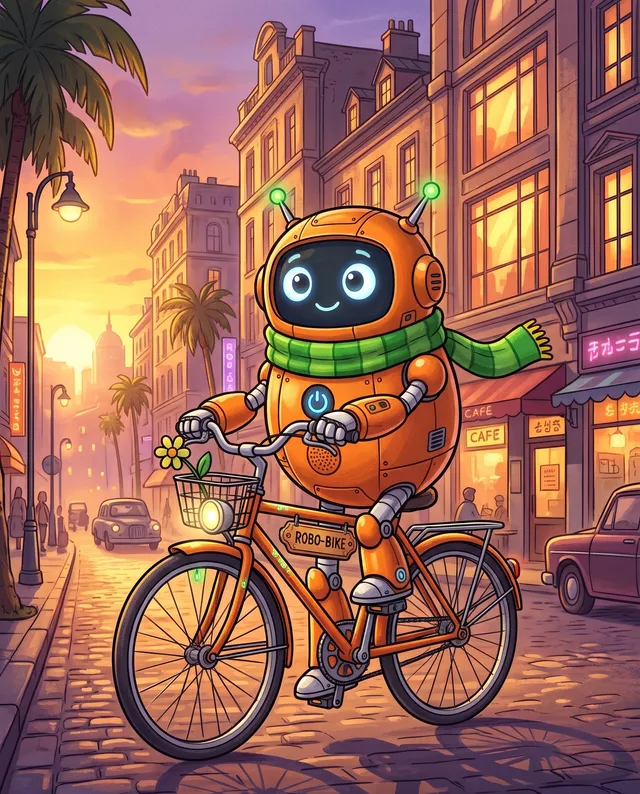

Add a picture, keep who is in it.
Nano Banana 2 reads the photos you add as references, up to 5 at a time. Give it the first drawing of a character and ask for a new scene, and the round body, the big eyes and the green scarf carry over: reading in the park, cycling at sunset, cooking breakfast. The same goes for a product shot or a portrait.
- Up to 5 reference photos per run
- Characters, products and faces
- A new scene each run, same look
Made with Nano Banana 2.
Every example shows the exact words that made it. Tap one to put those words in the box, then change a word and see what moves.
How the AI image generator works.
Three steps and no settings to learn. Everything you need is in the box above.
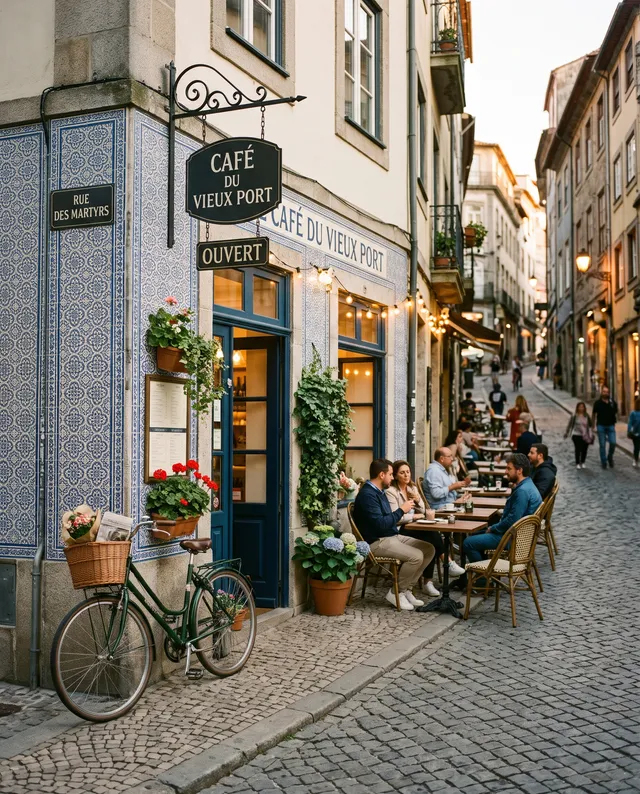 “Street café at dusk, warm string lights”
Describe the picture
Write what you want in plain words: the subject, the place, the light. Pick a shape and add a photo if you like.
Choose a model, see the price
Every model is named and priced. Switch models and the price on the Generate button changes before you run.
Download it or keep going
The picture appears right here. Download it, or open it in Studio to change it again, upscale it or make it move.
Price, sizes and shapes.
Prices are shown before every run and never change mid-way. Failed runs are refunded in full.
- Price
- From 2 credits1K 2 credits · 2K 3 credits · 4K 4 credits, per picture
- Sizes
- 1K, 2K and 4KPick the size in the box
- Shapes
- 7 shapes1:1, 4:3, 3:4, 16:9, 9:16, 3:2, 2:3
- Photos in
- Up to 5JPG, PNG, WebP or HEIC, up to 20 MB
- Per run
- One pictureRun again for another take
- Made by
- GoogleNo Google account needed
Not quite the right fit? Try these.
Same box, different strengths. Every model has its own page with examples and prices.

Nano Banana 2 questions
还有其他问题?发邮件到 support@pixenhancer.ai
Keep exploring
Start with a photo, or just a sentence.
快而全能,改图和保持同一张脸最拿手。


