Unblur Text in Photo
The menu you snapped on the way out, a recipe card from a relative, a slide from the back of the room. Add the blurry photo and get the writing back sharp enough to read.
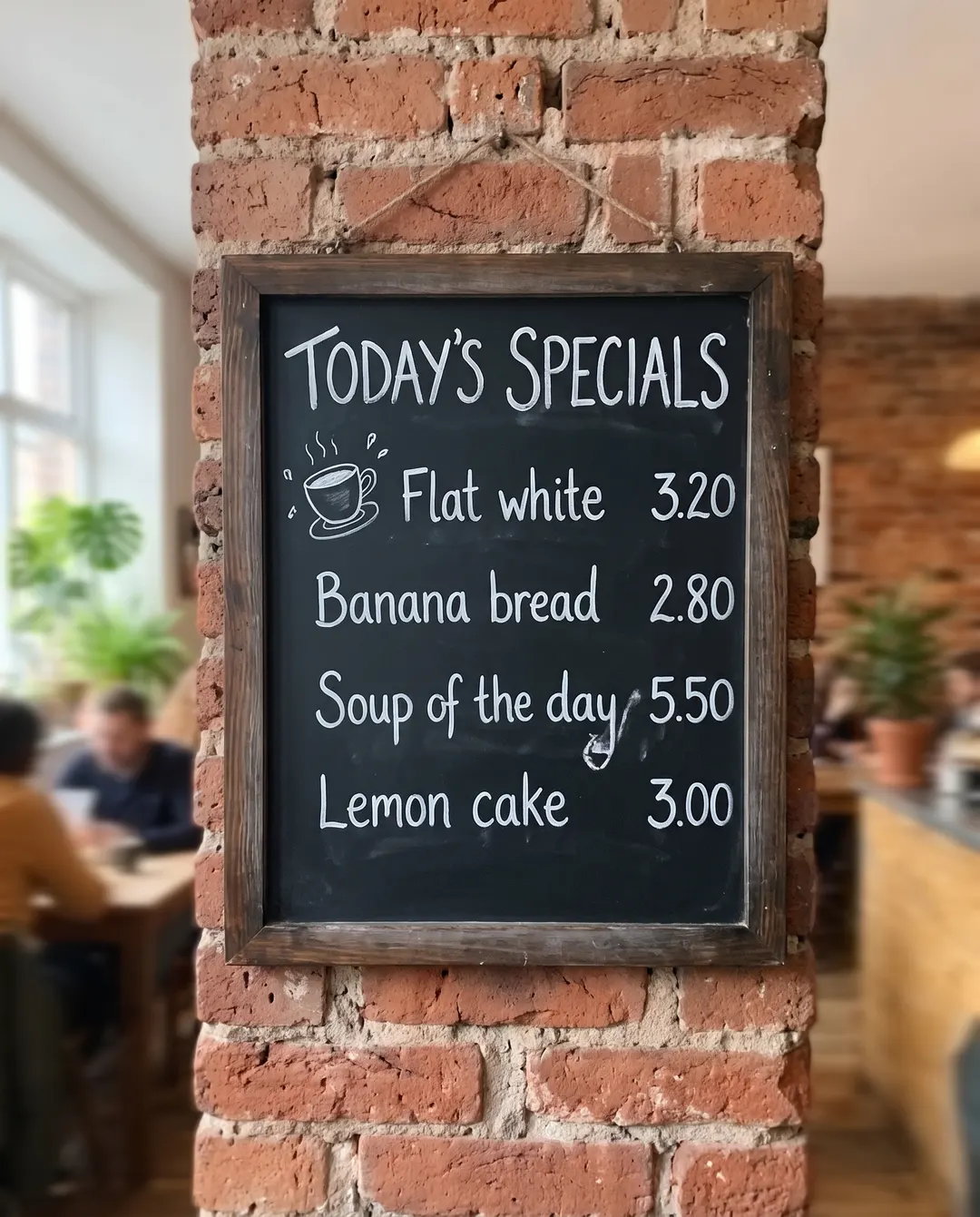 BeforeAfterThe menu reads clearly againBeforeAfterThe menu reads clearly again
Make blurry text readable, right down to the prices.
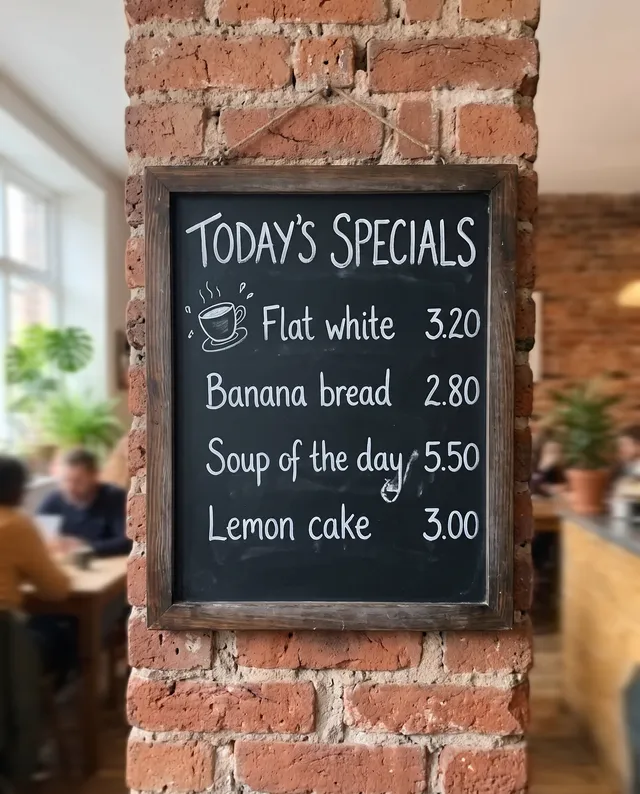
Snapped in a hurry on the way out, the chalkboard came back as a soft smudge. Sharpen it and every line is back: Flat white 3.20, Banana bread 2.80, Soup of the day 5.50, with the chalk, the board and the doodles as they were. A very blurry number can come back as a different one, so check prices and dates against the original before you rely on them.
- Letters and numbers sharpened
- The board’s layout and chalk kept
- Not quite there? Run it again
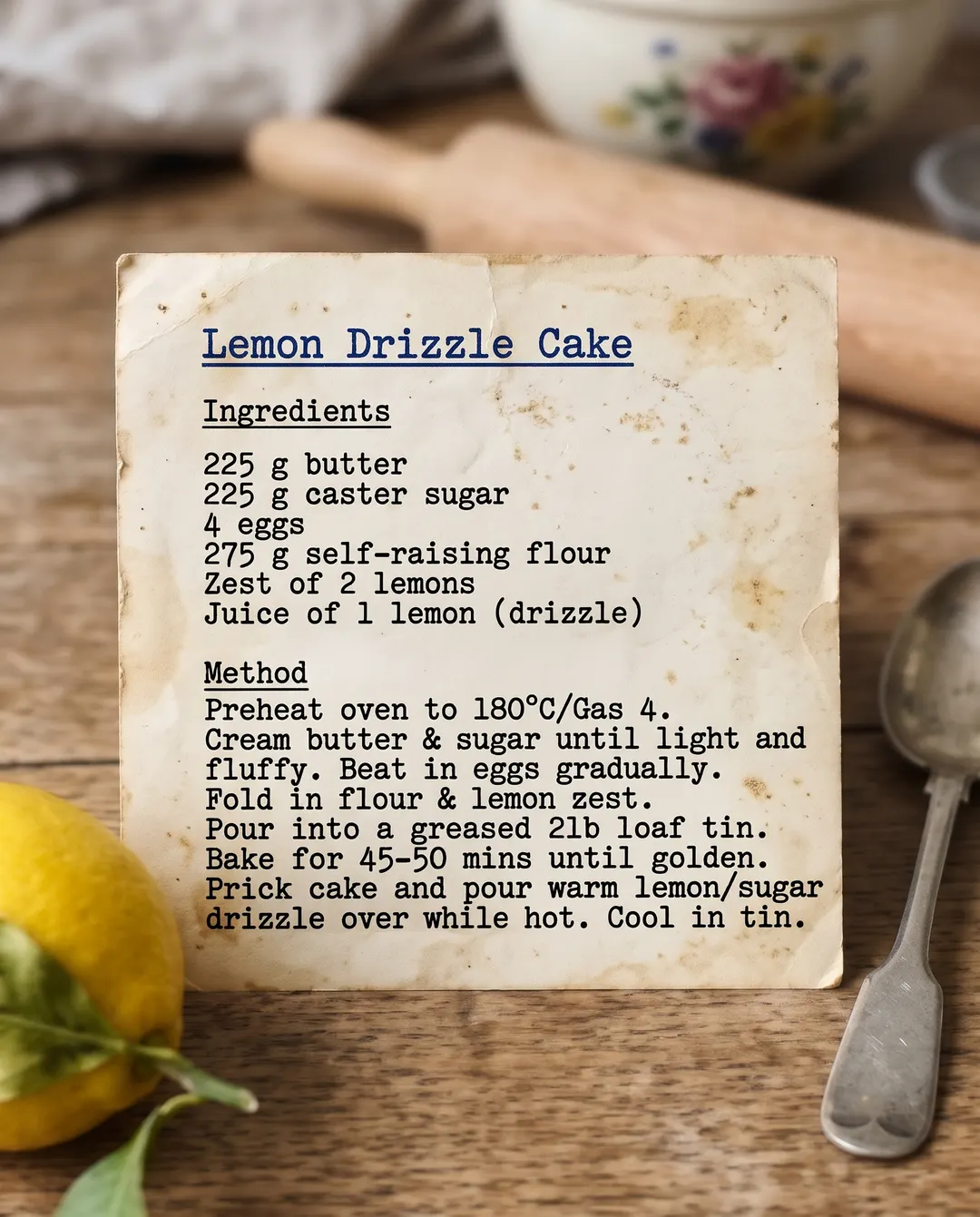 BeforeAfterThe recipe card is readable again
Grandma’s recipe, word for word.
An old typed card, photographed in kitchen light and too soft to cook from. Sharpen it and the ingredients and the method read clearly again, on the same yellowed card, ready to print or share with the family. It is the quickest way to unblur text in an image you can’t take again. For a card written by hand, tap Handwriting so the style and the ink are kept.
- Typed and printed text made crisp
- Paper, stains and layout kept
- Good for cards, notes and letters
Unblur text in three steps. No squinting.
No zooming in and guessing. Pick what kind of writing it is, or press Unblur text. The layout, the paper and the colours stay as they are; only the writing gets sharper.
Add your photo
From your phone or computer, or paste it straight in. A screenshot of a blurry photo works too.
Pick what the writing is
Auto sharpens all the text. Or tap Menu or sign, Document or Handwriting. Receipt and Slide or screen are there too.
Download, or keep going
Save it, or make it bigger for printing. It waits in your history if you need it again.
For the words you need to read.
A shaky hand, low light or a long zoom. Get the writing back.
Menus and signs
Boards, price lists and opening hours you snapped from across the room. Read them later at home, without going back.
Recipes and family notes
Old cards, letters and notebooks, readable again and ready to keep.
Slides and whiteboards
The slide from the back row, the whiteboard at the end of the meeting.
Receipts
Faded or shaky receipts you need to read for expenses or returns. Check the totals against the paper before you claim them.
Labels and packaging
Ingredients, care labels and model numbers too small to read in the photo. Handy when you need the exact name of a part.
Book pages and printouts
A page you photographed for later, crisp enough to read or quote.
Questions about unblurring text
还有其他问题?发邮件到 support@pixenhancer.ai
Blurry words. Readable again.
Bring back the menu, the note or the recipe.


